
Hey everyone, I'm Oil. This guide breaks down how to use subagents effectively in real projects.
If you're brand new to AI Agents or Skills, read Choosing an AI Agent & Environment Setup and What Are Skills? A Practical Guide first.
What Is a Subagent—and Why Single-Thread Chats Bog Down
Picture talking to a team lead: you align requirements with the lead, and then to move faster—and match specialists to the right work—the lead delegates subtasks to teammates instead of grinding through everything solo.
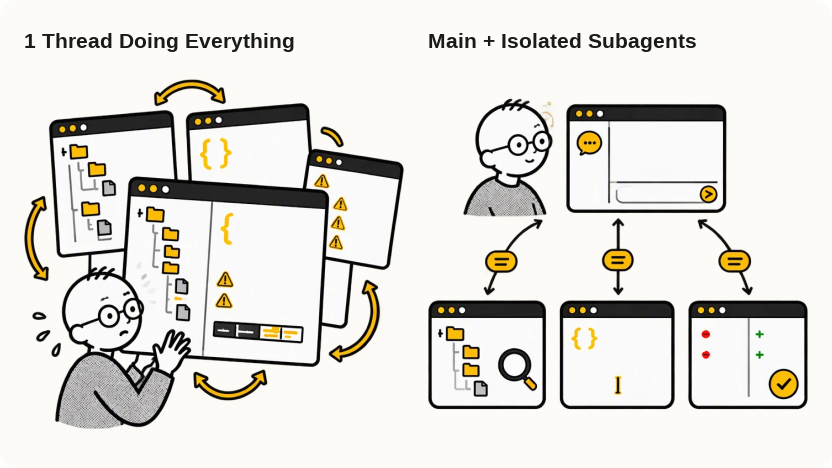
AI Agents work the same way: the Agent you chat with is the main Agent; the isolated workers it spawns are subagents. Subagents don't chat directly with you—they execute focused assignments in clean contexts and return concise results to the main Agent.
1. The Pain of Running Everything in One Thread
Doing codebase exploration, editing, and log inspection in one single thread balloons context rapidly. After a few rounds, context hits compaction—earlier constraints blur, and code quality slides.
2. Why I Started Using Subagents
Initially, speed: subagents run independent subtasks in parallel, cutting wall-clock wait time without forcing me to juggle multiple separate chat windows manually.
Which Tasks Belong to Subagents
One simple rule of thumb:
If a task generates lots of noisy intermediate output but only needs a concise summary or focused diff back, delegate it to a subagent.
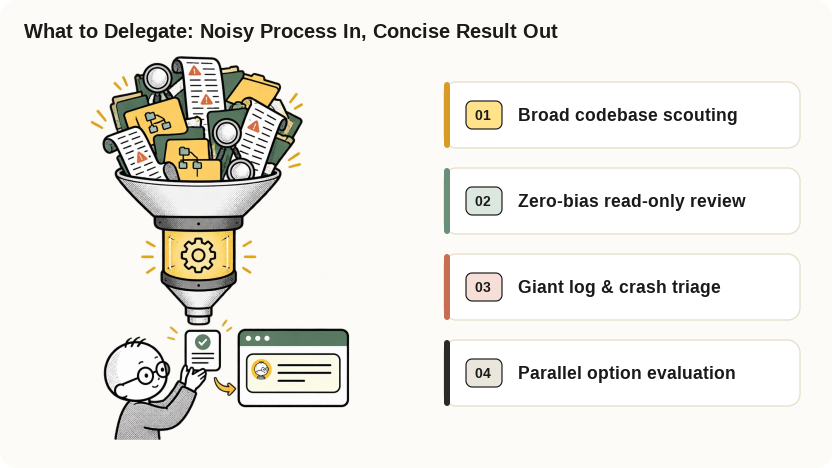
Great fits:
- Broad codebase scouting & research: Read a dozen+ files, return exact file paths, line numbers, and structure without polluting main context.
- Read-only code review: Zero history bias—judges the diff objectively.
- Test failure & massive log triage: Digest giant stack traces and return only the root cause.
- Parallel option evaluation: Evaluate competing approaches independently and synthesize.
1. Three Cases Never to Parallelize
- Overlapping file edits: Two subagents editing the same files collide immediately.
- Strict sequential dependencies: Step 2 depends on Step 1's output (e.g., DB migration before API code).
- High-risk actions: Production deploys, destructive deletes, or core config changes stay on the main thread with human oversight.
2. Who Decides When to Spawn Subagents?
Honestly, I rarely command subagents manually—the main Agent decides automatically based on roles and routing rules I pre-configure, stepping in only when a passive Agent forgets to parallelize heavy work.
The Universal Three-Layer Subagent Configuration
1. Why Customize Beyond Built-In Subagents?
- Auto-delegation varies wildly by tool: Claude Code proactively spawns subagents well; Codex's defaults rarely delegate smartly unless given explicit roles and rules.
- Role-specific prompts + cheaper models: Pairing narrow scouting roles with cheap fast models saves both main-thread context and money.
2. Creating Custom Subagents Without Hand-Editing Config Files
Never memorize .toml or Markdown schemas—just ask your main Agent in plain language (naming the role, responsibilities/permissions, and model tier):
The Agent creates the config in ~/.codex/agents/ or ~/.claude/agents/, immediately callable via @explorer.
3. Three-Layer Architecture Across Any Agent Tool
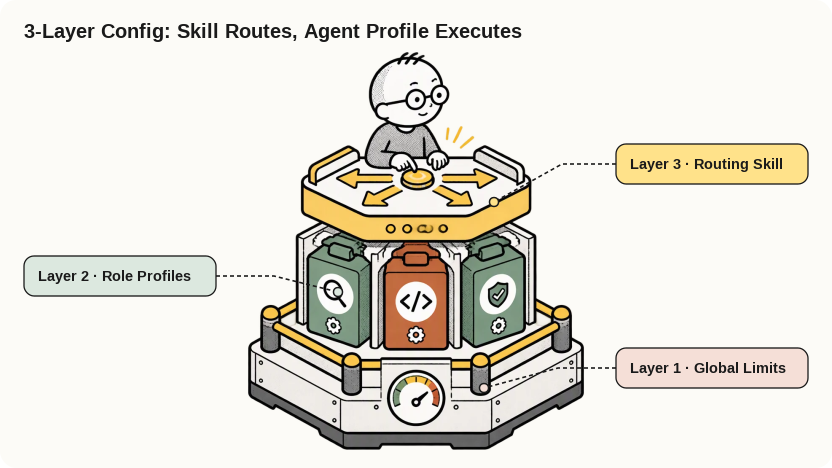
- Layer 1 — Global config (safety guardrails): Default model, max concurrency (e.g., 6), and max nesting depth (keep at 1—never let subagents spawn sub-subagents).
- Layer 2 — Per-role subagent profiles: Each role's model, reasoning level, and built-in system instructions (e.g., review checklist, frontend standards).
- Layer 3 — On-demand routing Skill: Teaches the main Agent when to dispatch whom, kept as a Skill rather than
AGENTS.mdso casual chats never trigger team mode.
Crucial separation rule: put "how to do the job" inside Layer 2 (the subagent's own profile) and keep Layer 3 (the Skill) strictly for routing. That stops the main Agent from re-typing giant checklists in every dispatch prompt.
Four Core Roles & the Explore-to-Simplify Loop
Organize subagents by functional strength, not arbitrary difficulty labels (model names below are concrete examples—swap in equivalent tiers as models evolve):
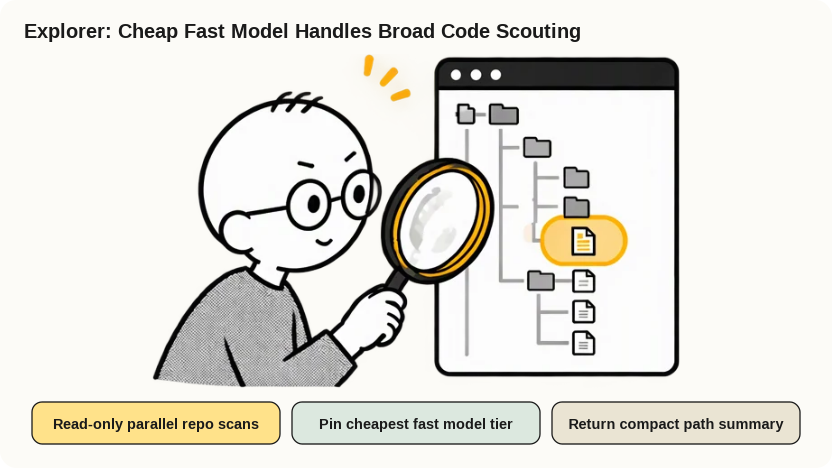
1. Explorer (GPT Luna on Fast mode / Claude Haiku)
Read-only scouting across dozens of files on the cheapest fast model (for example, GPT Luna with Fast mode enabled).
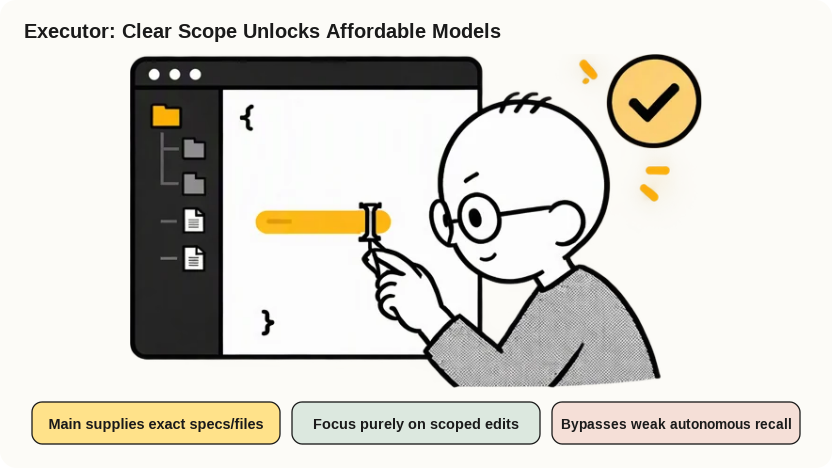
2. Executor
Focused implementation on scoped files. Notably, cheaper models that struggle as solo main Agents perform great as Executors—because the stronger main Agent hands them the exact spec files and edit boundaries up front, bypassing weak autonomous recall.
3. Reviewer
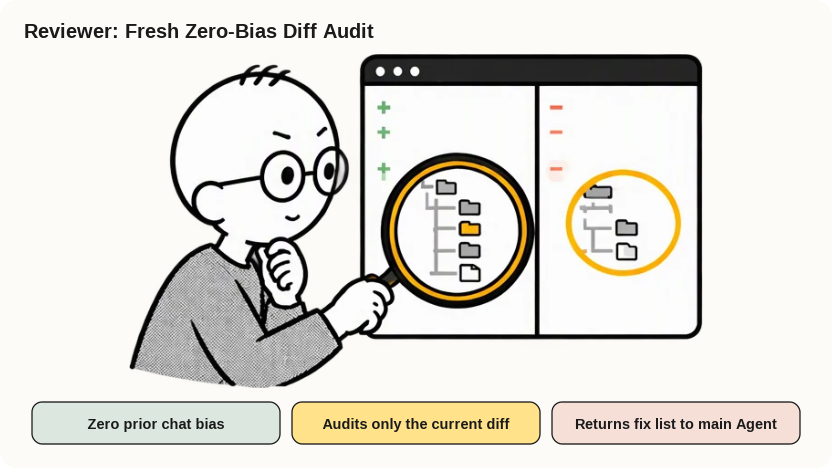
Independent context-free diff audit catching over-engineering, dead branches, and reinvented helpers. Asking the main Agent to review its own code rarely works well because conversation-history inertia keeps it anchored to its own framing; a fresh Reviewer only reads the diff and reports back so the main Agent can apply the fixes cleanly.
4. Specialists & Expert Advisor
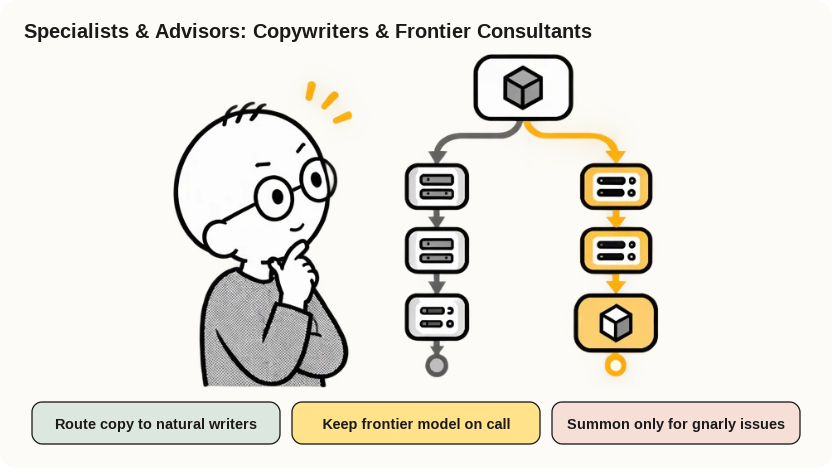
Dedicated copywriting subagent (Gemini, which you can also invoke via cross-vendor CLI delegation below) or an on-call frontier model (GPT-6 Astra) summoned only for stubborn bugs or thorny cross-module architecture—never burned on routine code.
Wiring the Loop: Explore Before Coding, Simplify Before Shipping
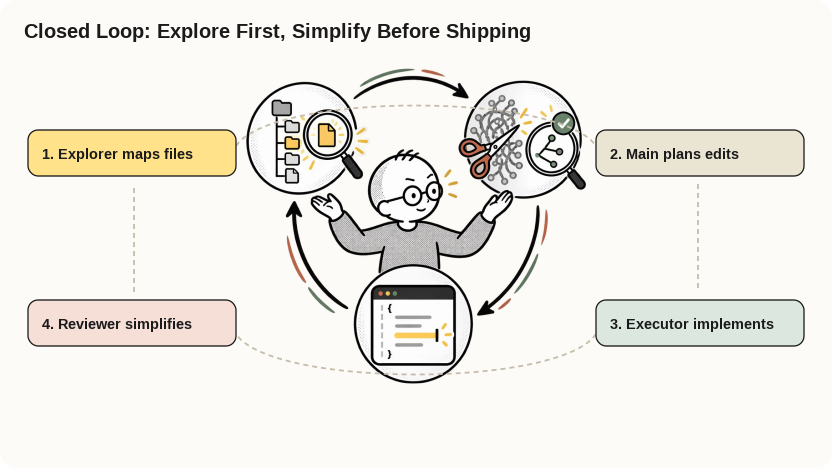
Integrated in my open-source codex-team-mode: Explore first via parallel Explorers → plan & Execute → run a fresh Reviewer to Simplify and strip bloat before final handoff.

Dispatching Other Vendors' Agents as Subagents
Built-in subagents usually stay inside one vendor's model family. To invoke Codex from Claude Code (or combine multiple vendors), use the main Agent's shell tool to call external Agent CLIs, wrapped cleanly in a Skill + helper script:
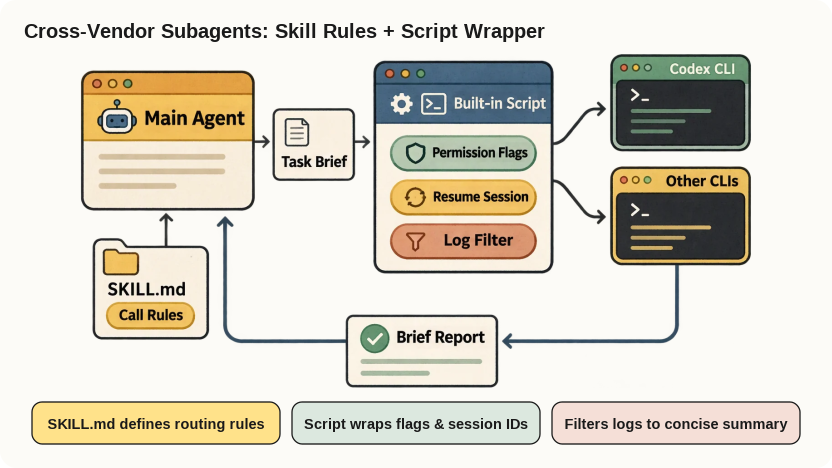
- Call the target CLI (
claude,codex,kimi, etc.). - Wrap invocation rules in
SKILL.md. - Hide permission flags,
session_idcontinuation, and noisy JSON event logs inside a script inscripts/.
See my open-source oil-oil/oil-delegate for a ready-to-use implementation wrapping Claude Code, Codex, Antigravity, Kimi Code, and other Agent CLIs—it auto-detects installed CLIs, filters log noise, and keeps sessions resumable so you can simply say "have cc audit auth" or "have codex fix this test."
Three Real-World Pitfalls to Avoid
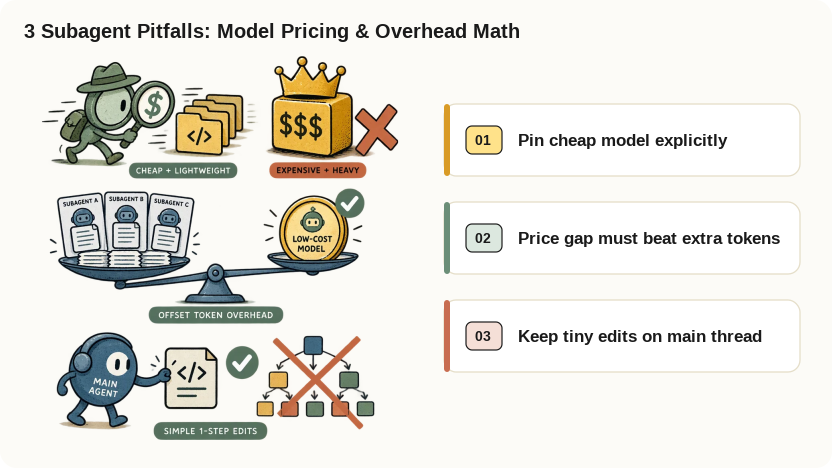
- Always specify the model explicitly: Leaving the model blank makes many tools inherit your expensive main-thread model—giving zero cost savings.
- Subagents do not automatically save tokens: Spawning subagents increases total tokens because each worker re-reads project context and summarizes back. It only saves money when subagents run on significantly cheaper models.
- Never spawn subagents for trivial edits: Editing one known file takes seconds directly on the main thread; delegation overhead only slows simple fixes down.