
Hey everyone, I'm Oil. This guide explains AI Agent Skills from the ground up—what they actually are, why they save massive context, the two types of Skills, and how to find, install, and evaluate them sensibly.
Daily AI Agent work runs into two recurring headaches: re-pasting giant prompts every time you do a repeated task, and trying to share your exact AI workflow with someone else (scattering a few text snippets rarely reproduces the same results).
Skills solve both: they package your repeatable workflow locally and make "how to drive an AI Agent" cleanly shareable.
What Is a Skill?
Many newcomers assume a Skill is some complex proprietary plugin SDK.
Originally introduced and open-sourced by Anthropic (as Agent Skills for Claude / Claude Code), the standard was quickly adopted across Codex, Cursor, DeepSeek Harness, and other major Agents. Why did it become universal so fast? Because a Skill is simply a folder of plain files following a simple convention.
Since every modern AI Agent can already read files and run terminal scripts, you don't need proprietary platform APIs. Put a SKILL.md guide plus optional scripts and reference files into one folder, and any file-reading AI Agent can run it immediately across tools.
Why Not Put Everything in Global Rules (AGENTS.md)?
If an Agent reads AGENTS.md or CLAUDE.md automatically in every session, why bother with Skills?
Because Skills use progressive loading.
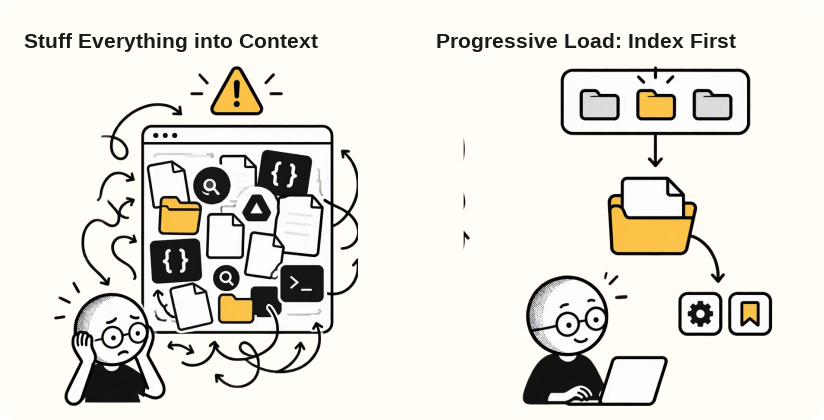
Global rule files belong to always-on project basics (tech stack, test commands, hard repo constraints). Dumping tens of thousands of words of UI guidelines, copywriting specs, and video-editing procedures into every backend coding chat wastes tokens and dilutes the model's attention.
Skills work like looking up a word in a dictionary: scan a tiny table of contents first, and only open the exact entry when the current task matches.
Inside a Standard Skill Folder
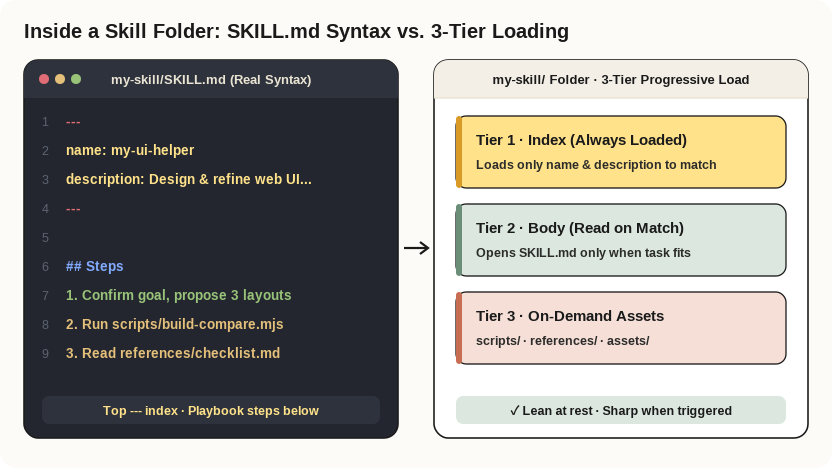
my-skill/
├── SKILL.md        # Required entry: frontmatter index on top, workflow body below
├── scripts/        # Optional: deterministic executable scripts
├── references/     # Optional: detailed specs or long checklists read on demand
└── assets/         # Optional: HTML templates, images, or static resources
Everything loads across three progressive tiers:
- Tier 1 — Dictionary Index (
SKILL.mdYAML frontmatter): Onlynameanddescriptionstay loaded in context so the Agent knows when to trigger the Skill. - Tier 2 — Main Playbook (
SKILL.mdbody): Opened only when the user's request matches the description. - Tier 3 — On-Demand Attachments (
scripts/,references/,assets/): Loaded or executed only at the exact step that needs them.
A real SKILL.md is refreshingly simple:
---
name: my-ui-helper
description: Design and refine web UI. Use when exploring visual directions, generating side-by-side HTML comparisons, or fixing layouts from screenshots. Do not use for pure backend API work.
---

## Steps

1. Confirm page goals with the user and propose 3 structurally distinct visual directions.
2. Run `scripts/build-compare.mjs` to assemble comparison pages instead of writing merge code from scratch.
3. Read `references/layout-checklist.md` before final layout verification.
Knowledge Skills vs. Workflow Skills
Every Skill falls into one of two categories:
1. Knowledge Skills: Teaching Taste & Judgment Standards
Left to defaults, models fall into generic habits—stiff phrasing, bloated adjectives, or flat analysis.
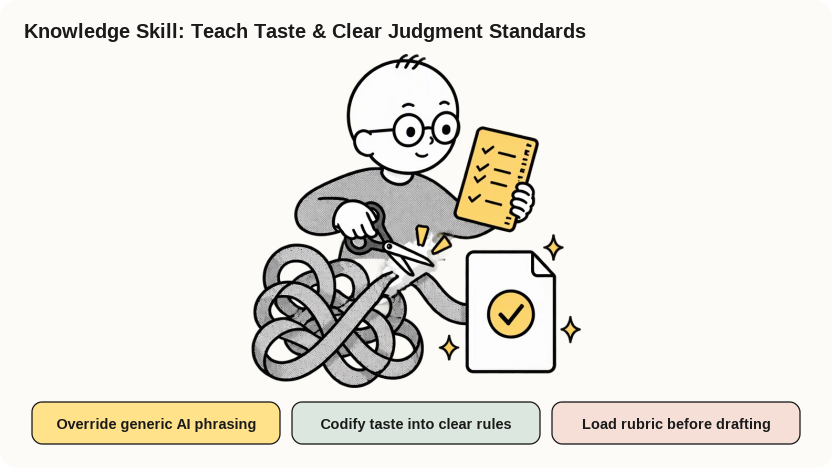
A Knowledge Skill encodes your domain judgment directly. For example, my open-source oil-tone has zero scripts—just clear criteria for natural, readable Chinese and English prose (ordering information by what the reader already knows, cutting zero-value hype, keeping conversational flow).

2. Workflow Skills: Locking Down Multi-Step Pipelines & Scripts
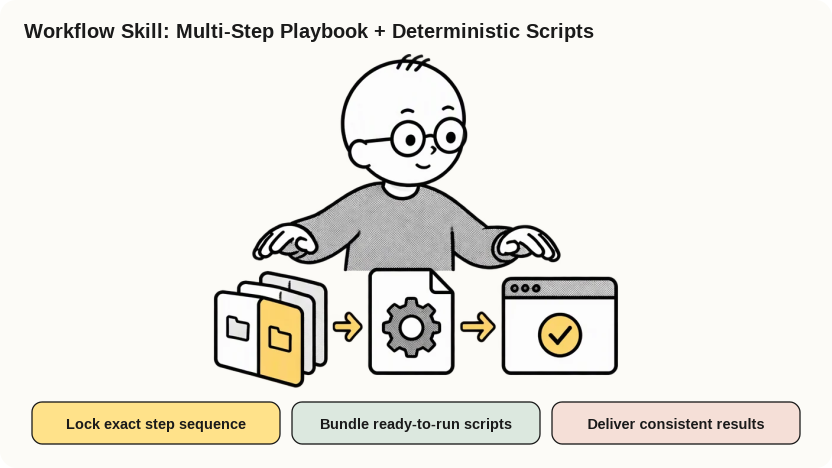
A Workflow Skill codifies repeatable multi-step jobs alongside deterministic scripts. My open-source Oil UI defines the full visual pipeline—divergent drafts → assets → code → blind screenshot critique → subtraction—backed by helper scripts so every run stays consistent.
3. Global Rules vs. Quick Prompts vs. Skills
- Always-on repo rules (stack, test commands, directory map) →
AGENTS.md/CLAUDE.md(keep short). - One- or two-line daily reminders ("diagnose root cause before editing") → Saved prompt snippet.
- Concrete domain know-how or multi-step scripted pipelines → Skill.
Finding, Installing & Using Skills
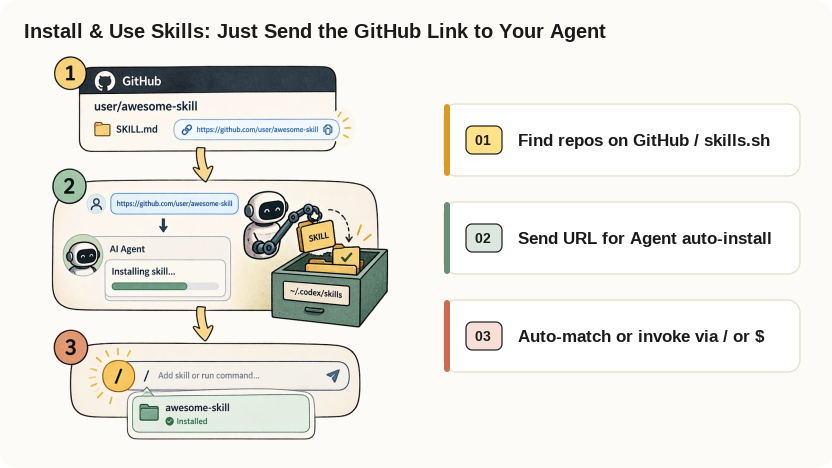
1. Where to Find & Three Ways to Install
Browse GitHub or directories like SkillHub, skills.sh, SkillsMP, and ClawHub. Installing a Skill simply places its folder into your Agent's global skills directory (e.g., ~/.codex/skills, ~/.claude/skills) or a project-local folder (.agents/skills or .claude/skills):
- Manual unzip: Download the repo ZIP and drop the folder into your skills directory.
- CLI install: Run
npx skills add oil-oil/oil-toneand pick your Agent. - Ask your AI Agent directly (easiest): Send the GitHub link and say:
Download this Skill, install it into the right directory, and verify you can read it.
2. Triggering a Skill
- Automatic matching: Just describe your task naturally—the Agent scans installed Skill descriptions and loads the matching Skill.
- Explicit trigger: Name it directly ("polish this with
oil-tone") or type/(Claude Code) or$(Codex) to pick from the menu. (Note that typing/also lists built-in commands like/clearand/compactalongside installed Skills.)
3. Golden Rule: Don't Install Skills Until You Hit a Real Problem
Never hoard dozens of third-party Skills "just in case." Two real downsides follow immediately:
- Vague AI-generated Skills hurt output: Many directory Skills are hollow prompts ("you are a world-class designer") with zero concrete know-how. The broader a Skill is, the less value it adds—and if its instructions are vague or rigid, triggering it drags down baseline model quality.
- Too many descriptions still clutter context: Even though bodies load progressively, every installed Skill's
nameanddescriptionsits in context permanently—overlapping descriptions confuse tool selection.
Keep your Skill list lean and install only for real pain points. Once you have a repeated workflow worth packaging yourself, move on to How to Build a Useful Skill from Scratch.