
Introduction
Hey everyone, I'm Oil. This guide shares the four everyday habits that shape how I work with AI.
At this point, AI assists with nearly everything I do. Once habits become automatic, you barely notice them—so I actually created this very guide using my own daily workflow: instead of staring at a blank page or asking AI to make up a tutorial, I told my local AI Agent "I want to write an article on my four AI habits—interview me," answered four quick rounds by voice, and had it organize only my own words.
Those exact steps trace all four habits: raw real-time voice input without editing typos, letting AI interview you, giving context the laziest way possible, and eliminating waiting and repetition through parallel threads and Skills.
Habit 1: Use Real-Time Voice Input—Never Fix Typos
Typing everything by hand is slow, and that friction quietly limits how much context you give the AI.
Why Voice Wins—and Why Typos Don't Matter
Nearly all my prompting now happens by voice for two reasons:
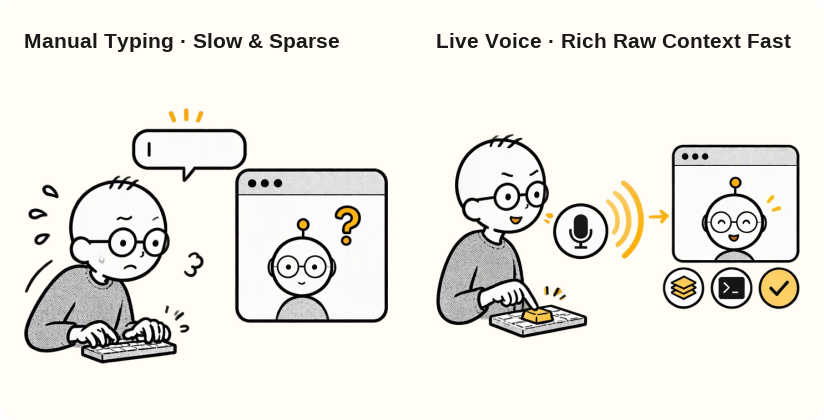
First, voice lets you share rich context easily. Most "AI didn't understand me" moments happen because typing felt tedious, so you only typed one vague sentence. Speaking lets you pour out full background, edge cases, and intent in seconds.
Second, never stop to fix speech-to-text typos. People hesitate to dictate because homophones or filler words ("um", "uh") sneak in. LLMs understand intent easily right through messy transcription—during the interview for this guide, the dictation tool misheard app names and left filler words everywhere, I sent it completely unedited, and the Agent understood 100% of it. Skipping proofreading is what makes voice genuinely fast.
My Setup: Shandianshuo + Alibaba Cloud Real-Time ASR
I use the desktop dictation tool Shandianshuo (hold a hotkey, speak, and it inserts transcribed text right at your cursor) backed by Alibaba Cloud Bailian's real-time ASR model qwen3-asr-flash-realtime.


Why skip expensive $10+/month "AI voice" apps? Two reasons: they cost way too much, and their selling point—running an extra LLM pass to rewrite your speech—is actually undesirable when talking to an AI Agent. I want raw, fast transcription immediately, with zero extra cost or rewrite latency.
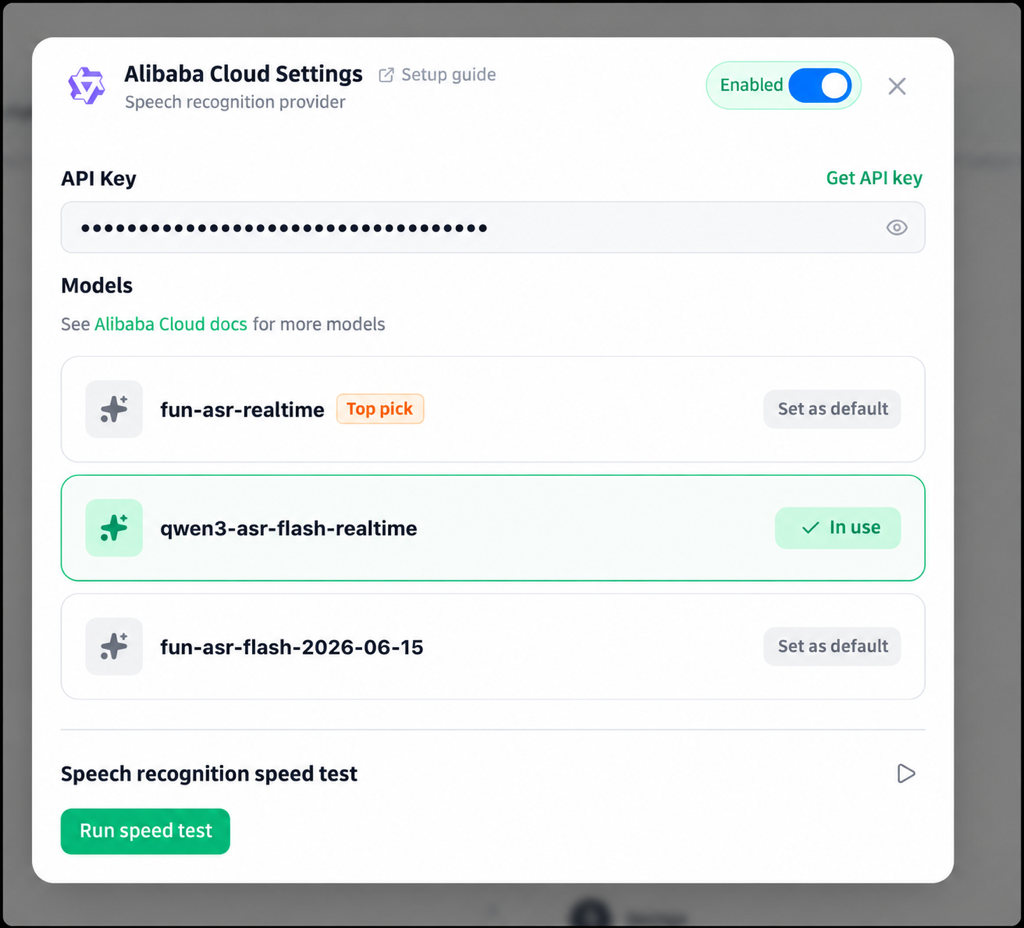
Three quick setup steps:
- Connect Alibaba Cloud ASR: Install Shandianshuo, open Alibaba Cloud settings, create an API key in the Alibaba Cloud Bailian Console (see API Key guide), paste it in, and flip the switch on.
- Select
qwen3-asr-flash-realtime: Near-instant transcription speed, costing only a few yuan per month even with heavy daily use. - Bind a comfortable single hotkey: I use the right
Optionkey—press and hold with my right thumb, speak, release, and send.

Habit 2: Let AI Interview You Instead of Writing from Scratch
Even with voice input, staring at a blank doc to write an article, video script, or spec from scratch feels stiff.
Why AI Should Organize Your Words—Not Invent Them
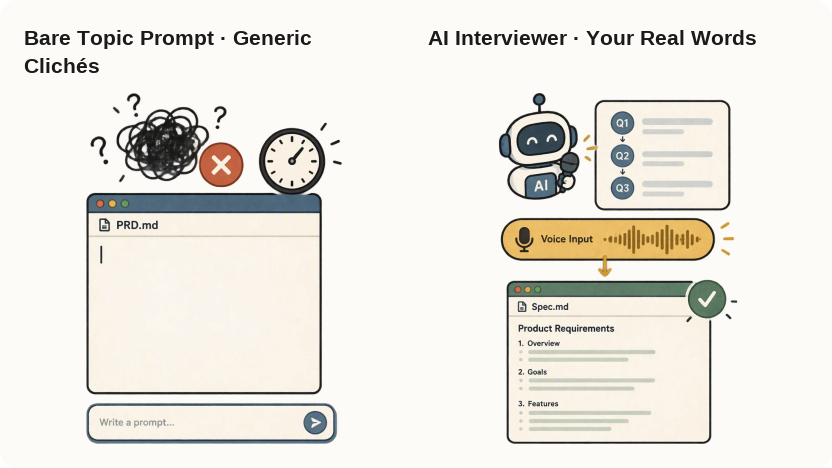
I never hand AI a bare topic and say "write an article." Without your real experience and judgment calls, AI pads out generic clichés.
The simpler approach: make AI the interviewer asking targeted questions one by one, answer freely by voice, and restrict AI strictly to organizing your verbatim words.
Setting Clear Interview Rules
Don't just say "interview me"—otherwise AI dumps a dozen+ interrogation questions at once or still slips invented filler into the draft.
Take this very article: in my project rules, I set clear boundaries so the Agent asked only 1–2 questions per round and followed up dynamically on my previous answer (for example, once I mentioned Shandianshuo and Alibaba Cloud in round one, round two asked why I picked that model and whether I fix typos). Meanwhile, the local Agent saved every question and my raw spoken answers verbatim into a local interview file. After four rounds, it assembled an outline built 100% from my own words for approval before smoothing it into written prose.
You can paste these four rules straight into your AI (in web chat, ask it to keep your verbatim answers before drafting an outline; in a local Agent, have it save them to a .md file):
I want to write about [topic]. Please act as my interviewer:
- Ask dynamically: Only 1–2 questions at a time—never a giant list. Follow up on my actual previous answer to probe why, how, and specific details.
- Log verbatim: I'll answer by voice with occasional typos or fillers. Understand my intent and save every round's raw input verbatim.
- Confirm raw outline first: Once we've covered the topic, organize a draft built 100% from my own words for approval before polishing.
- Organize only—zero fabrication: When drafting the final piece, rely strictly on my interview record for structure and clarity; never invent views I didn't express. Start with your first question.
Habit 3: Give Context the Laziest Way Possible
When information already exists on a webpage, screen, or doc, follow one rule: pass the raw artifact directly instead of describing it in prose.
Links, Screenshots, and Selector
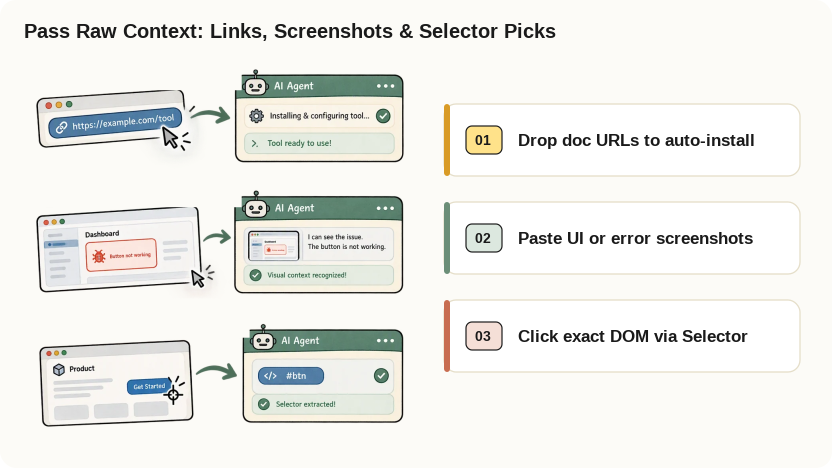
- Send the URL: If your Agent can fetch pages or drive a browser, drop the link—never copy-paste articles manually.
- Paste a screenshot: Whenever a settings dialog, visual bug, or error popup explains itself visually, paste the screenshot straight into chat.
- Click exact UI targets with Selector: For webpage tweaks during Vibe Coding, click the bookmarklet, select the exact element on screen, and paste its precise CSS selector directly into chat:

Page: http://localhost:3000/articles/ai-efficiency-habits

1. figcaption "Pour out full context fast—typing is slow..." <figcaption>
   selector: figure > figcaption
   inside: article "Four Habits That Make AI Work Better"
Add one spoken sentence ("remove these captions beneath all figures") and AI hits the exact element with zero guesswork.
Drop Official Doc Links to Install & Configure Tools
Once you have a local AI Agent, never manually follow multi-step installation tutorials or wrestle with cryptic terminal setups again.
When I installed OpenClaw, I simply handed its docs URL to Codex instead of copying commands or navigating clunky terminal UIs:

Let your local Agent run the terminal commands and configure everything for you. Combined with browser or computer automation, it can even open web pages or GUIs when needed.
Habit 4: Eliminate Waiting and Repetition
Once AI handles drafting, coding, and setup, cut out two kinds of wasted time: waiting right now and repeating instructions tomorrow.
Run Multiple Threads in Parallel
Agents often take minutes to research, configure, or edit. Don't stare at a progress bar—run multiple independent threads side by side.
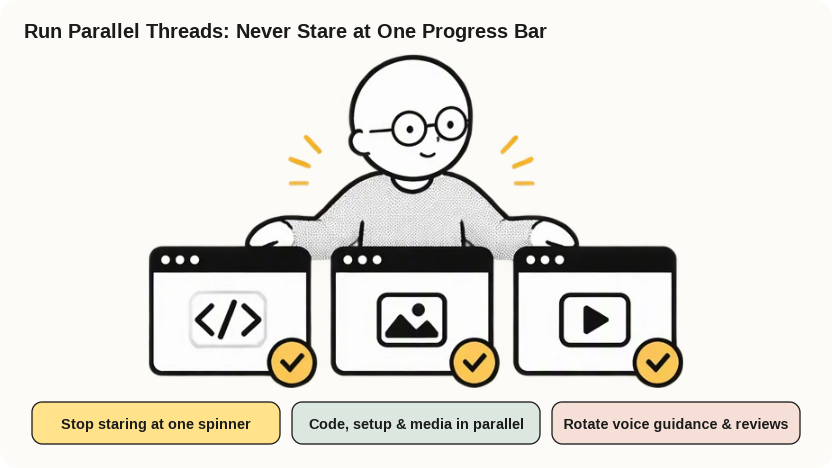
While Thread 1 sets up an environment, voice-prompt a code change in Thread 2 and prep video assets in Thread 3. Rotate through threads feeding brief voice guidance and reviewing results.
Package Repeated Workflows into a Skill
A core principle I work by: much of today's work is an investment to save tomorrow's time.
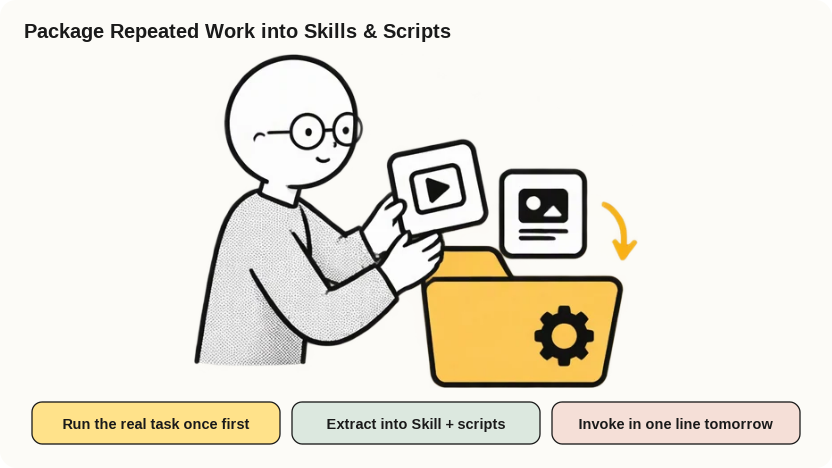
Whenever you catch yourself repeating a task daily—making video covers or adding subtitles—don't re-explain it tomorrow. Extract it into a Skill (a local folder holding reusable instructions and scripts). Run it smoothly once, package it, and invoke it in one sentence from then on (see What Are Skills? A Practical Guide and How to Build a Useful Skill from Scratch).
Summary
Four habits aligned with how AI actually works:
- Dictate raw context without editing typos to eliminate input friction.
- Have AI interview you so drafts stay grounded in real experience rather than clichés.
- Pass links, screenshots, and
Selectorpicks instead of retelling context or configuring tools manually. - Parallelize threads now and package repeatable workflows into Skills for tomorrow. Start today by binding a single dictation hotkey and speaking your first prompt.